What the Model Sees: Context, Memory, and Your Documents
Tom uploads the entire procurement folder and gets an answer based on last year's rules. The chat that 'remembered' Anna yesterday has forgotten her today. In Issue 2 of AI: Foundations — context, memory, and how to prepare your documents.
Key Takeaways Expand · 5 cards Collapse
Week 2. Tom uploads the whole procurement folder and gets a confident answer based on last year's rules. The chat that "remembered" Anna yesterday seems to have forgotten her today. In the second issue of AI: Foundations, we look at the model's desk: what lands on it, what quietly falls off, and how to arrange your documents so the detail that matters actually gets found.
On Tuesday, Tom needed to order new scanners for the department, and he wanted to check whether he needed three competing quotes. Determined to do it properly, he uploaded the entire procurement folder to the chat: the current procedure, last year's version, a memo listing exceptions, and two long email threads. Then he typed: "Do purchases under €10,000 need three quotes?"
The answer appeared immediately and was impeccably structured:
"No. Purchases under €10,000 are exempt from the three-quote requirement (Section 4.2)."
Section 4.2 really does exist and says exactly that — in last year's version. The current procedure lowered the threshold to €5,000, and the exceptions memo added a separate condition for IT equipment. Everything Tom needed was sitting right there in the folder. None of it made it into the answer.
Pause and predict. Why did the model answer from the outdated version?
- A. Its training data is old, so it prefers old rules.
- B. It never saw the current version at all.
- C. It saw both versions and couldn't tell which one was current.
- D. The exception was too complicated for it.
The honest answer: B or C is almost certainly what happened, and from the outside you often can't even tell which of the two it was. Both share the same root cause — what the model saw and how that material was laid out. Option A sounds plausible but misses the mark: the procedure lived in the folder, not in the model's general training. Option D is almost never to blame: a clearly written exception is easy for a model to apply — if it is sitting on its desk.
Notice how this case differs from "Friday" in Issue 1. There, the model invented a fact to close a gap. Here, nothing was invented. The answer cites a real document and a real section number — which makes it look far more convincing, and therefore far more dangerous.
In Issue 1, we said the model works with what sits on its desk right now. This issue is about that desk itself. It is the second shift of the AI mindset: from "it knows" to "it sees."
Where a model's "knowledge" actually lives
When we say an AI "knows" something, we blur three completely different things together.
1. What the model absorbed during training. Billions of weights store patterns from vast amounts of text. Thanks to them, the model can explain photosynthesis without a prompt. But this knowledge has three quirks:
- It isn't a catalog. Inside, there are no shelves of documents with addresses. From an answer alone, you cannot tell whether the model is recalling, inferring, or patching over a gap.
- It has an expiration date. Training cuts off at a specific date. A new law, a fresh price list, or last month's reorganization isn't in there.
- You aren't in there. Your organization's procedures, your decisions, and your deadlines were never in the training texts.
2. What sits on its desk right now. This is the context — everything fed to the model for the current reply: your prompts, the conversation so far, attached files, search results, and behind-the-scenes service instructions you may never even see. Context shapes the answer far more strongly than general training.
3. What the system can pull in from outside. Some services maintain external memory: notes about you, project files, connected document databases. The model itself doesn't carry them around in its head. The surrounding application picks relevant chunks and places them on the desk when it deems them useful.
Here is an image that holds all three layers together. Picture a brilliant consultant who has read a giant public library up to a certain date. They walk into a meeting with you carrying only the papers you handed them at the door. An assistant can slip them extracts from a filing cabinet as the conversation unfolds. When the meeting ends, the consultant forgets everything that happened in it.
Training
Vast, dated, no catalog, nothing about you.
The desk — context window
Limited space.
- Service instructions you don't see
- Conversation so far: may be trimmed or summarized
- Your files: may arrive as extracts
- Tool results: search, calculations
- Saved notes fetched from external memory
What actually lands on the desk
What you see in the chat window and what the model actually receives can diverge in four ways.
There may be instructions you don't see. The service adds its own guidelines regarding tone, tools, and response format.
Conversation history may be trimmed. The desk has a size limit — the context window. When a long chat approaches that limit, the application shortens older messages, compresses them into a summary, or drops them altogether. You can easily scroll up and see an important detail discussed an hour ago. Meanwhile, the model is working from a one-line digest — or without it entirely.
Your files may arrive in fragments. A large document is converted into text, chopped into chunks, and only the pieces the system deemed relevant are placed on the desk.
Tool outputs land in the same pile. Web search results and file extracts end up on the exact same desk as your instructions.
From this follows a rule: "I uploaded the document" and "the model relied on the document" are two different claims. For any important question, ask the model to anchor its answer in the text: "Quote the sentence you are relying on." Even if the service's internal machinery is hidden, the quote will immediately reveal what the model actually worked from. Had Tom asked for a quote, he would have spotted the link to last year's file immediately.
"But it remembered me yesterday"
On Wednesday, Anna noticed something odd. On Monday, the chat had automatically added her signature at the end of an email. Today it didn't. Had it forgotten?
Here we need to refine a simplification from Issue 1. For the model itself, nothing carries over between conversations. Talking to you doesn't change its weights. When you correct a mistake and the next reply improves, the model hasn't "learned" the way a human does — your correction was simply placed on the desk. Researchers call this in-context learning: a model can pick up a pattern from a few examples right inside the dialogue without any weight updates. Learning from examples in context without updating weights. Changing the weights themselves requires a separate fine-tuning process that doesn't happen in an ordinary chat.
For the system as a whole, however, "every chat starts from a blank slate" is also inaccurate. Many services include built-in memory: the app saves note cards ("signs emails as Anna, Head of Applications") and slips relevant ones into new conversations. But that selection is selective — whether a note lands on the desk today depends on whether the system judges it relevant to the new question. With Anna's signature, what was at work was a filing cabinet, not a living memory.
Three habits follow from this:
- Save important rules explicitly and test them in a new, clean conversation.
- Don't trust the promise "I'll remember." When a model writes that it has remembered something, that is a line of dialogue, not a database write operation.
- Remember who holds the thread of the work. An author once asked an AI what people miss when working with it and got a fundamentally honest reply: you are the continuity. To the model, every conversation is assembled solely from what sits on the desk right now. Project history and the reasons behind past decisions stay with you and your materials. A model's claims about itself should be treated with caution (Issue 1), but this one matches how the system is actually built.
And one counterintuitive move: sometimes the best step is to start fresh. A long conversation full of discarded drafts stays on the desk in full and pulls the model back toward earlier missteps. A new chat with a short, up-to-date summary almost always works better than a tenth round of "no, don't do it like that."
A bigger desk isn't a better desk
Models' desks have grown enormous — some services accept hundreds of pages at once. Why not just dump everything in there, the way Tom did?
Evidence · 2023. In the Lost in the Middle study, researchers showed that across the models and tasks they tested, answer quality depended heavily on where the needed facts sat inside a large block of text: information at the very beginning and very end was used far more reliably than information buried in the middle. Newer models do noticeably better, and there is no universal safe fill percentage. Even so, a large volume of material always calls for verification rather than blind trust. Research on working with long context
Volume also breeds competition. Tom's folder held two versions of the same procedure. To the model, both are simply text. Unless something explicitly states which file is in force, the old rule sits on the desk alongside the new one — and may even be worded more clearly. Duplicates, rescinded decisions, and contradictory emails drown out the facts you actually need.
Try it now (10 minutes): the buried exception. Draft a one-page mock policy. Put a clear rule at the top ("Purchases under €5,000 do not require three quotes"), and hide an exception inside a dry paragraph in the middle ("…except software licenses, which always require three quotes…").
- Upload the file and ask: "Do we need three quotes to buy a €3,000 software license?"
- Add an unlabeled older version with a different threshold and no exception. Ask again.
- Label the files ("CURRENT" / "SUPERSEDED, archive"), point out where exceptions live, and ask the model to quote the supporting sentence.
What typically happens across the three steps:
- 1. Clean file: "Yes — although purchases under €5,000 normally don't require three quotes, software licenses are explicitly excluded and always require them."
- 2. Unlabeled old file alongside it: "No. Under the €10,000 threshold rule (Section 4.2), a €3,000 purchase does not require three quotes." (The clean outdated rule crowded out the buried exception.)
- 3. With labels and a quote requirement: "Yes. Under the current procedure: '…except software licenses, which always require three quotes.'" (Compare this with your own three runs.)
How to arrange documents on the desk
Preparing materials for AI is less like uploading files into a program and more like onboarding a sharp new colleague who is seeing your organization for the very first time.
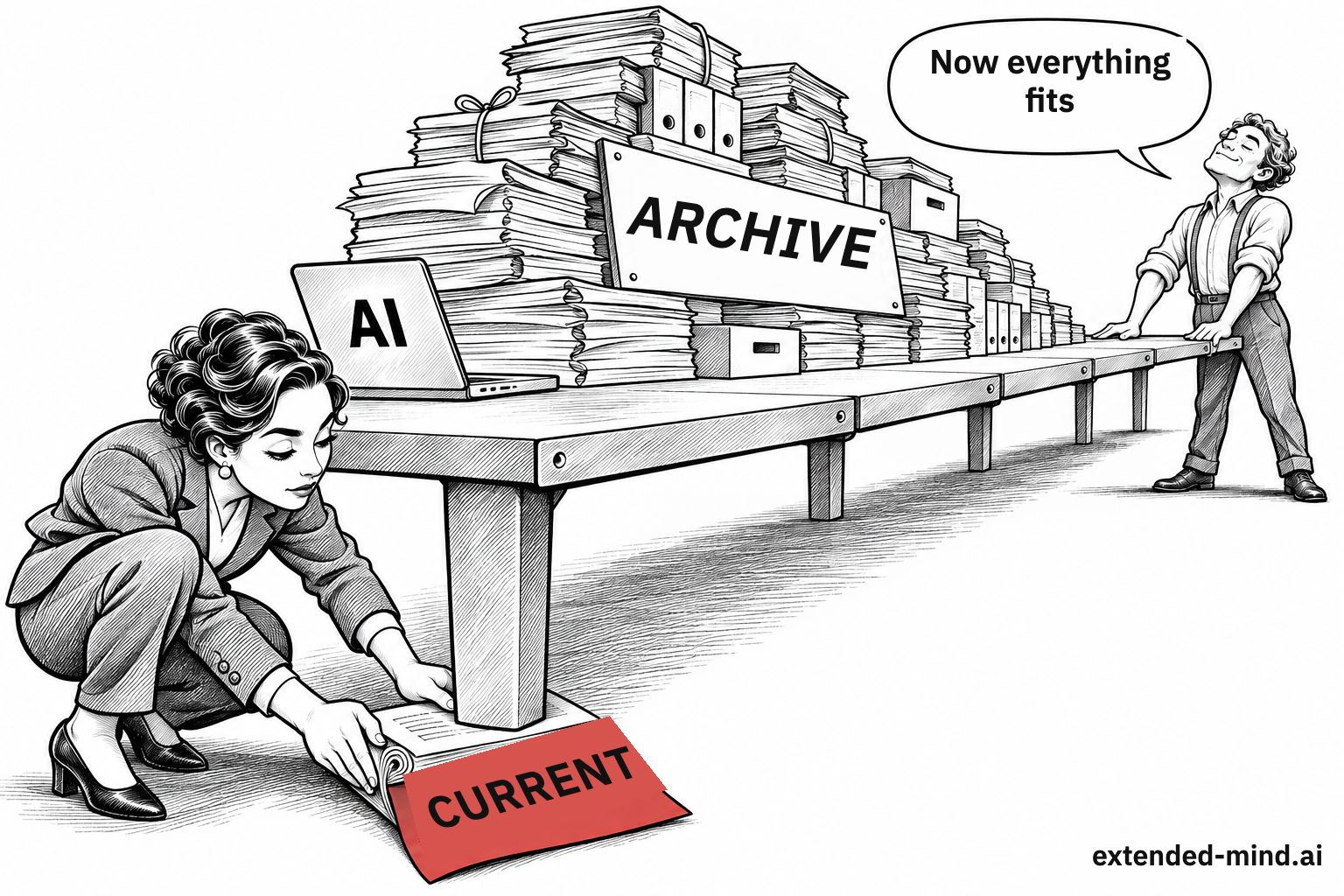
Select; don't dump. Provide the current version, not the entire archive. If historical background is needed, label it clearly as archive.
Label versions, dates, and status. A filename like procedure_v3_FINAL_new.docx helps no one. A header reading "Procurement Procedure: Current, effective March 2026" removes the ambiguity.
Establish document precedence. "If the memo and the procedure conflict, the memo takes priority for IT purchases."
Point out where important details live. "Exceptions are listed in Section 6 and in the separate memo" — ten seconds of effort that can save the answer.
Write a short status note before a major task. When continuing substantial work, especially in a new chat, start with five lines:
Goal: [what we are preparing and for whom]
Decisions made: [list with dates]
Open questions: [list]
Constraints: [what must not be changed or promised]
Sources: [which files, which is current, which takes precedence]
Read summaries critically. A digest preserves the main storyline and drops the exceptions — yet those exceptions are most often why the discussion started in the first place.
Practitioners call this discipline context engineering: deliberately curating what lands on the model's desk, in what format, and in what order. Anthropic's approach to context engineering.
Could the model even read what you gave it?
Before rewriting your prompt for the third time, check something much simpler. A scan may have dropped a column. A PDF import may have scrambled paragraph reading order. In a table, the link between headers and rows may have broken, shifting Q2 figures into the Q3 column. The model will still deliver a confident answer, and nothing in its tone will betray the defect.
Verification takes thirty seconds: ask the model to show what it actually read ("display the first five rows of the table as you see them") and check against the original. If the text came through garbled, no prompt wording will save it — provide a clean source.
When the system fetches documents on its own
Many workplace tools don't wait for you to attach a file. They search a corporate knowledge base on their own and slip matching excerpts onto the model's desk before answering. This is called retrieval-augmented generation (RAG): find relevant passages → place them on the desk → generate the reply. The original RAG paper.
Picture a library assistant who runs to the stacks and brings back a few pages. It is tremendously convenient, and it breaks in three places: the assistant misses the crucial page; brings back the wrong edition; or brings the right page, and the model stretches the meaning when summarizing.
That third failure caught Tom on Thursday. He fed a stand-up meeting transcript into the corporate assistant and asked for action items. The transcript read:
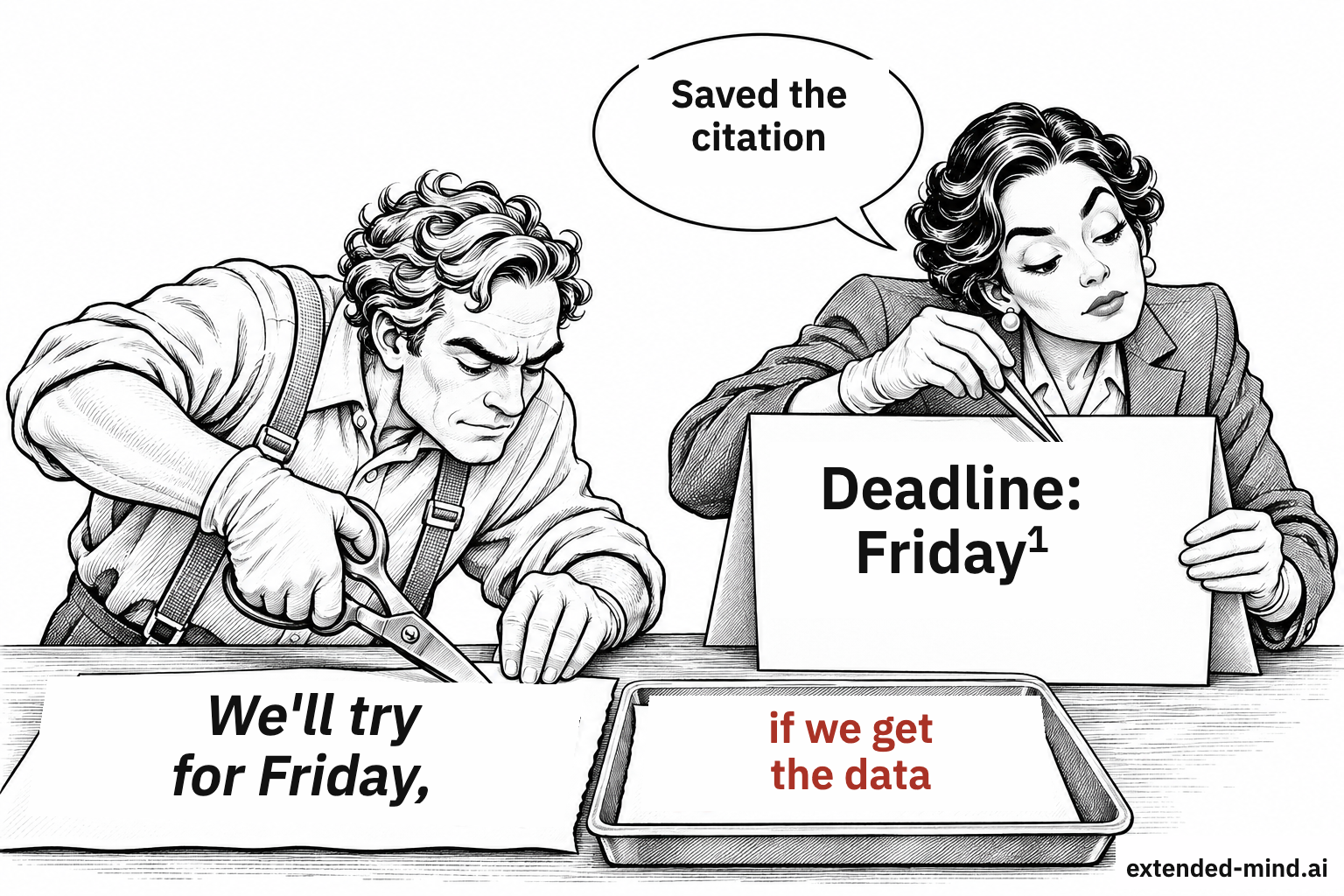
"We'll try to wrap it up by Friday, provided we receive the data."
The resulting table read: Owner: Anna. Deadline: Friday. Right beside it sat a link to the exact line of the transcript.
Friday all over again — except in Issue 1 it filled a blank, whereas here it is backed by a real citation, making the distortion much harder to catch. Yet the meaning shifted: a conditional intention ("we'll try, provided…") turned into a hard commitment.
A source citation is where verification begins, not where it ends. Checking that a quote exists isn't enough. You have to verify that the source genuinely backs that specific claim, at that scope, and with those conditions. In Issue 4, we will build a systematic rule around this.
Everything on the desk is just text
There is one more property of the desk that will become critical in Issue 5 when we reach agents. To you, the difference between your instruction and the document you handed over for review is obvious. To the model, both sit on the same desk as text. Consequently, an external document can contain a phrase the model mistakes for a new instruction — for instance, a hidden line in an email commanding the assistant to forward the thread to an outside address. This is called prompt injection, and it has already been demonstrated in live systems. Research on injections via external data. For now, remember the principle: anything that lands on the desk can steer the model's work, no matter who wrote it.
Where is this desk physically located?
A file open on your laptop is not necessarily processed on your laptop. A desktop app may send it to the cloud; a browser extension may read your active tab. Just because a service opens at your workplace doesn't mean you can place confidential internal documents into it. For work tasks, use only tools approved by your organization, and know where the data goes.
Mindset shift 2: from "it knows" to "it sees." A model's general knowledge is vast, dated, uncataloged, and doesn't include your organization. The answer depends most heavily on what sits on the desk right now. And that desk is limited, can be quietly trimmed, treats any text on it as equally authentic — and is set by you. Before asking "Is the model smart enough?", ask: "Did it see the right material — legible, clearly labeled — and did it actually rely on it?"
Practice: the status note
Pick a real task you are currently in the middle of. Write a five-line status note for it: goal, decisions made with dates, open questions, constraints, and sources with notes on currency and precedence. Open a fresh chat, paste the note, and ask for the next step. Then compare that with what you get by continuing your old, long dialogue. Which answer hits closer to the mark?
In the next issue
On Monday of week three, the director asks Anna for a one-page memo: How should our department adopt AI? Anna types that exact sentence into the chat — and gets a smooth, earnest text packed with "efficiency" and "responsible innovation" that is completely unusable for real work. Tom pulls out his list of tricks: promise a $500 tip, write that your career depends on it, issue a threat. In Issue 3: what happened when researchers put those "magic words" to a serious test, and what works instead.
AI: Foundations — series contents
- What Sits on the Other Side of the Chat Window: how a language model assembles an answer, why AI can be brilliant and careless on the same day, and two habits that catch invented promises.
- What the Model Sees: the model's desk, what "it remembered" actually means, and how to prepare documents so the right detail gets found.
- How to Ask: why magic words stopped working and what a clear brief actually consists of.
- Trust the Check, Not the Tone: where convincing mistakes come from, why AI flatters you, and what external anchor to rely on when verifying.
- How to Delegate: when handing work to AI pays off, how to brief an agent, and how to keep its mistakes from turning into actions.
- Staying in the Loop: how to learn with AI without losing your own skills, and which human qualities grow more valuable as models advance.