Meeting Outcomes in Five Minutes: Faster Does Not Mean Different
How to capture the outcomes of a large strategy session: manual minutes, a quick AI summary, or working with AI against predefined quality criteria — what each method loses and why faster does not mean different.

Imagine you recorded a major meeting, transcribed the audio using AI, and had the same model generate the final meeting minutes. Yet after you sent the document to colleagues, it turned out that the polished-looking text contained mutually contradictory decisions — and your manager flatly rejected it. The result: the first draft was ready within 5 minutes of the meeting ending, while wrestling the final version into shape with a crowd of participants dragged on for several days.
Today, many video conferencing platforms come with built-in transcription, speaker diarization, and automatic summarization. Those features work very well for simple calls with three or fewer participants. When it comes to large meetings or multi-party strategy sessions, however, blind faith in one-click summaries can prove costly. Let’s walk through a real situation of this kind in detail.
A Strategy Session That Needed Rigorous Minutes
This was an industry-wide strategy session on the adoption of AI in construction. At the table were the regulator, industry associations, project owners (some highly advanced, others traditional), design institutes, contractors, and facility operators. A serious lineup, wouldn’t you agree? Positions were polarized: on some points the parties converged, while on others they clashed to the point of direct contradiction.
After a session like that, you have to produce official minutes listing the decisions reached, proposals voiced, and next steps — plus document the issues where the parties disagreed and the options that were unanimously rejected. It is a demanding task, and there are three ways to approach it.
Method One: Classic Manual Minutes
You seat an assistant in the room (or take notes yourself) to record the main decisions, primarily from the closing wrap-up block (note how valuable it is at the end of every meeting to state out loud what was agreed — that habit will save you in any scenario). That gives you a list of final takeaways and decisions.
It is fast, and for many meetings it is enough. However, manual minutes capture how the conclusion was phrased at the very end, not the full arc of the discussion. Sharp ideas, decision forks, and substantive objections that weren’t repeated during the closing remarks never make it onto the page.
Method Two: The Fast AI Summary
You upload the recording to a service, it generates a transcript, and the model extracts highlights and drafts proposed decisions. Where you once had to replay an audio recording several times to piece together the outcomes, you now have a first draft in five minutes.
And that is where the long slog begins — because:
- The model can misattribute who said what, or fail to separate speakers altogether and treat the transcript as a continuous monologue.
- It does not know organizational hierarchy — yet in real meetings, a senior decision-maker’s word often carries decisive weight.
- It can easily confuse a speaker’s controversial proposal that nobody seconded with an approved final decision.
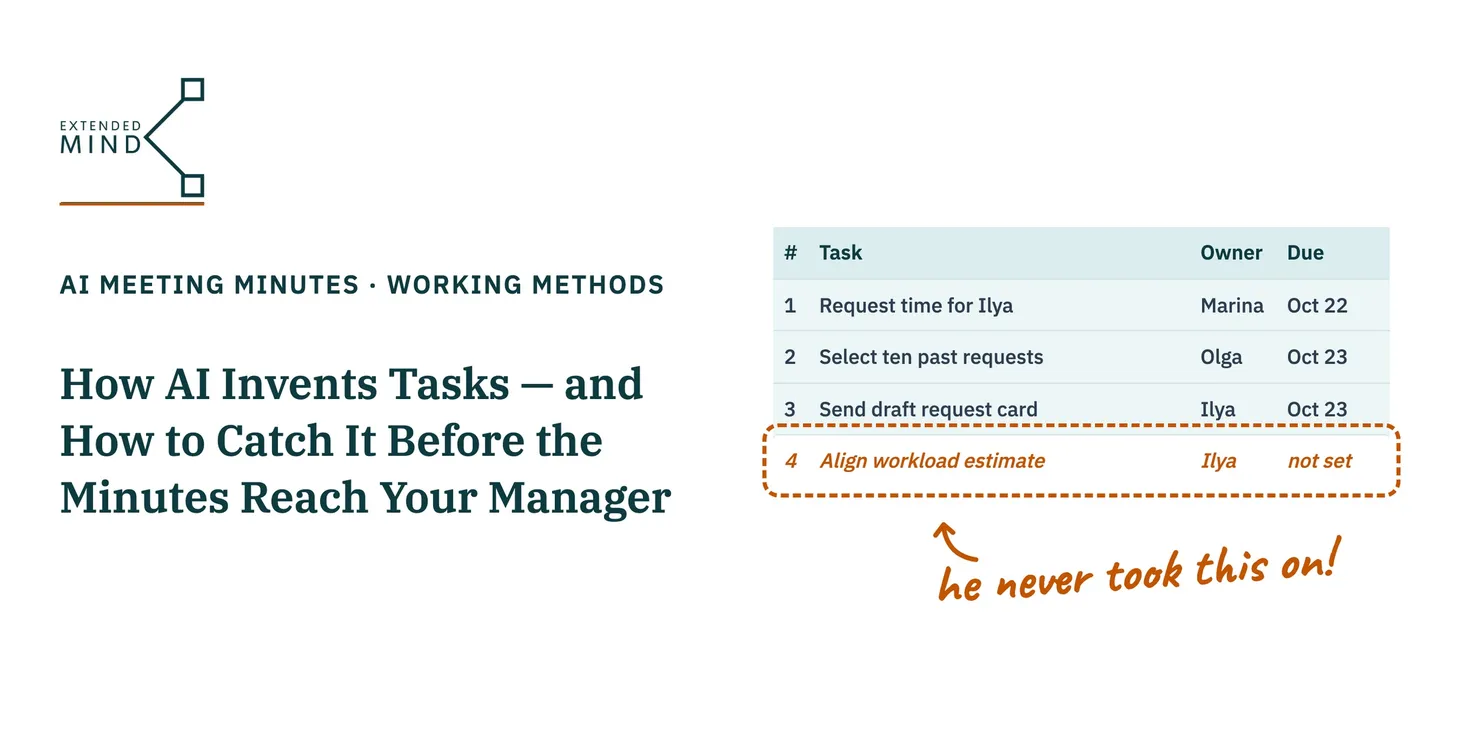
Returning to my example: during our strategy session, one participant presented proposals that ran counter to the industry development strategy and partially conflicted with current regulations. In complex domains this happens all the time — it is hard to hold every facet of a multi-dimensional problem in view at once. Later in the session, the actual decision-makers stated explicitly that the proposal was not supported. Yet — surprise! — the model pulled the speaker’s proposals from both his speech and his slide deck (where they sounded extraordinarily persuasive!) and recorded them as official decisions of the session.
The strategy session minutes went through more than fifteen rounds of revisions, consuming nearly two full days interspersed with other work. By my estimate, that took far longer than writing the minutes manually the old-fashioned way.
Why Using AI Ended Up Taking Longer
A model can only work with what is present in the recording. Yet the recording contains no explicit markers that tell a language model how to distinguish a binding decision from a floor proposal: who in the room has decision authority, which strategy and regulatory framework a decision must comply with, and what counts as endorsed. Sitting in the room, you know all of this. The model does not.
As a result, the “fast” method does not eliminate verification — it merely defers it. Handed a smooth narrative summary, you have to comb through every paragraph hunting for hidden errors without knowing where they lie. A generic prompt like “extract the key takeaways” never tells the model what counts as key or whose voice is decisive on each topic. Your human note-taker in the hall didn’t need those rules explained: they heard who objected and knew how authority was distributed. The AI model was given the same assignment without any of that context.
Worse still, if you use a meeting platform that links consecutive meetings into a shared memory graph, a rejected proposal mistakenly logged as a decision takes its place in the official chronology of future meetings — quietly skewing downstream conclusions in ways nobody anticipates (everyone remembers the butterfly effect).
Method Three: Define Measurable Quality Criteria for the Outcome First
The third method consists of three distinct stages: Stage 1 — clearly specify the exact outcome you want to receive Stage 2 — pass the meeting recording/transcript along with those rules Stage 3 — verify the AI model’s output against your predefined criteria
In my own practice, this is the approach I rely on.
Let’s look closely at what Stage 1 involves:
-
formulating the criteria by which the AI model must evaluate every proposal and decision: whether it relates to the meeting’s scope; whether it aligns with the strategy (of the industry, organization, or specific workstream); whether it affects or connects to other questions, proposals, or decisions raised during the session; whether the proposal was endorsed or rejected; whether reservations were voiced, and so on (much here depends on the specifics of your domain);
-
defining the exact structure in which the output must be delivered (in effect, creating a template for the session minutes).
A quick practical tip: to flesh out Stage 1 thoroughly, run your draft criteria and template through an AI model first — ask it to check whether you missed any edge cases, duplicated rules, or made the constraints overly rigid.
One of the biggest payoffs of Stage 1 is reuse: you invest a couple of hours once to craft your quality criteria and output template, and from then on you reuse those materials across subsequent sessions and meetings, spending minimal effort editing the output (ideally accepting it with almost no structural changes).
In Stage 2, you feed the AI model your quality criteria, the target template, the meeting transcript, and the list of participants with their roles and decision authority (to the extent permitted by your information security policy): without that roster, the model has no way of knowing who is merely floating an idea and who holds final sign-off. The model populates the template, and you no longer proofread for prose smoothness — you audit against explicit criteria. For every decision, it is immediately visible who supported it and whether they held decision authority. For every point of disagreement, it is clear who raised which position and where the fork lies.
With a well-designed template in place, edits to the final document become purely cosmetic and take, in my experience, between 5 and 30 minutes — while the template itself keeps paying dividends on every future session.
What Changed
The AI model is the exact same model, and it generates text at the exact same speed. What changed is how you start the work on the final document: what inputs the model receives and what criteria you use to verify the quality of its result.
Your template (target outcome format) and quality criteria are the answer to the question that Method Three asks before anything else: how will I know the document is actually ready?
When to Use Which Method
You do not need Method Three for every call.
- If all you need is a searchable transcript to check who said what, a standard AI transcription tool is ideal.
- If a meeting only needs two or three straightforward decisions with no complex forks, the simplest approach is to state the conclusions out loud at the end of the call and jot them down — often faster without AI at all.
- Method Three pays off where stakeholders are many, positions diverge, and losing track of those fault lines is expensive.
The choice is yours. Just remember that the “fast one-click” method and the “redesigned workflow” method do not produce the same outcome at different speeds — they produce fundamentally different levels of quality.
Ahead of your next major meeting, try setting aside a few minutes to answer two questions:
- What outcome do I expect from this meeting (reaching a decision, mapping points of disagreement, finding a compromise), and in what format do I want those outcomes captured? That is your target template.
- How will I know I have received a high-quality document? What are my measurable quality criteria?
Write down concise answers to both questions and pass them to the AI alongside the meeting transcript. The results will pleasantly surprise you.